Boox Tab Ultra export files with annotations
Here is how I managed to export PDFs with hand-written annotations from the NeoReader app of my Boox Tab Ultra.
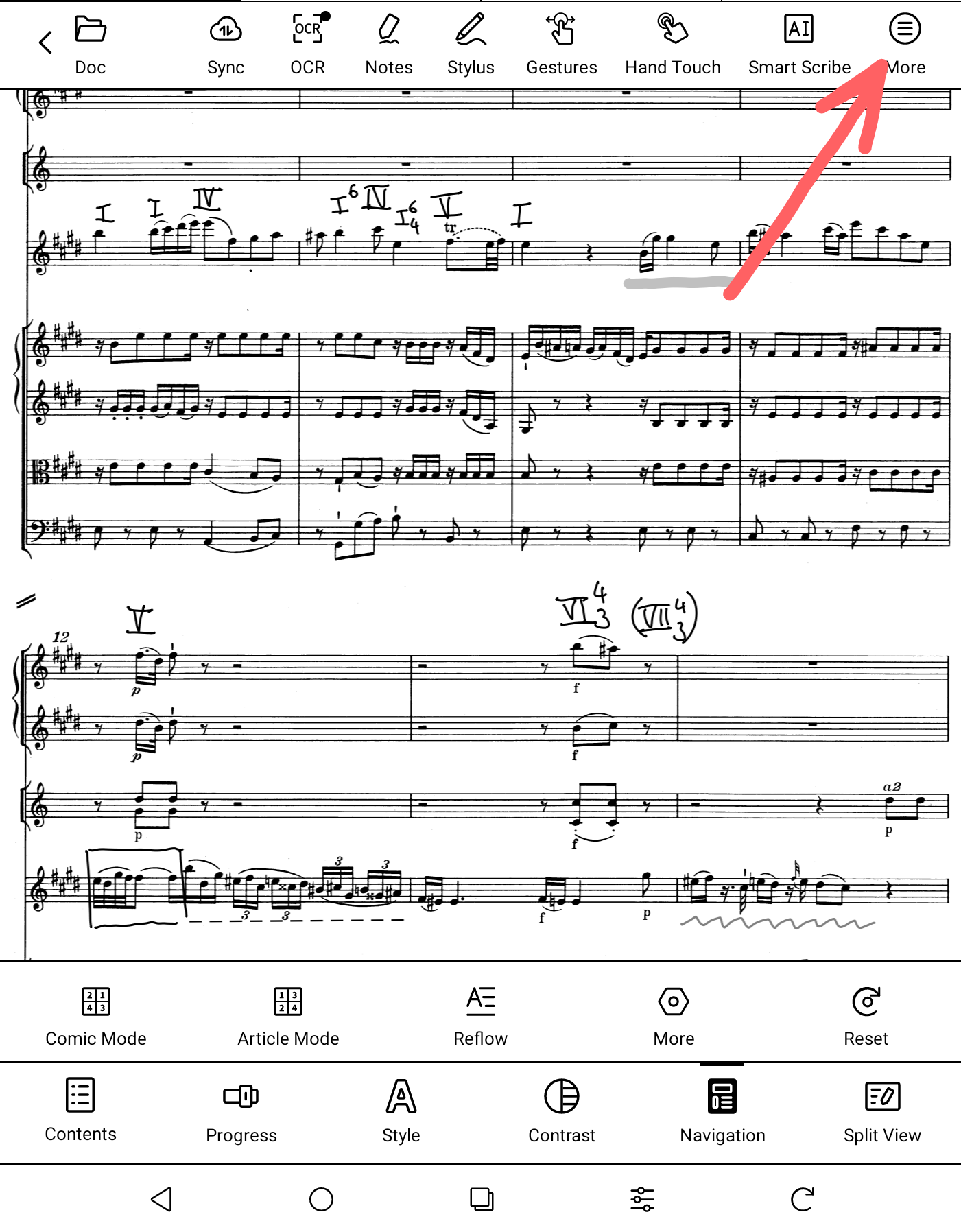
- Tap in the center of the screen. This opens up this menu.
-
Click on the More icon.
-
Click on Embed data. This embeds the annotations into the PDF.
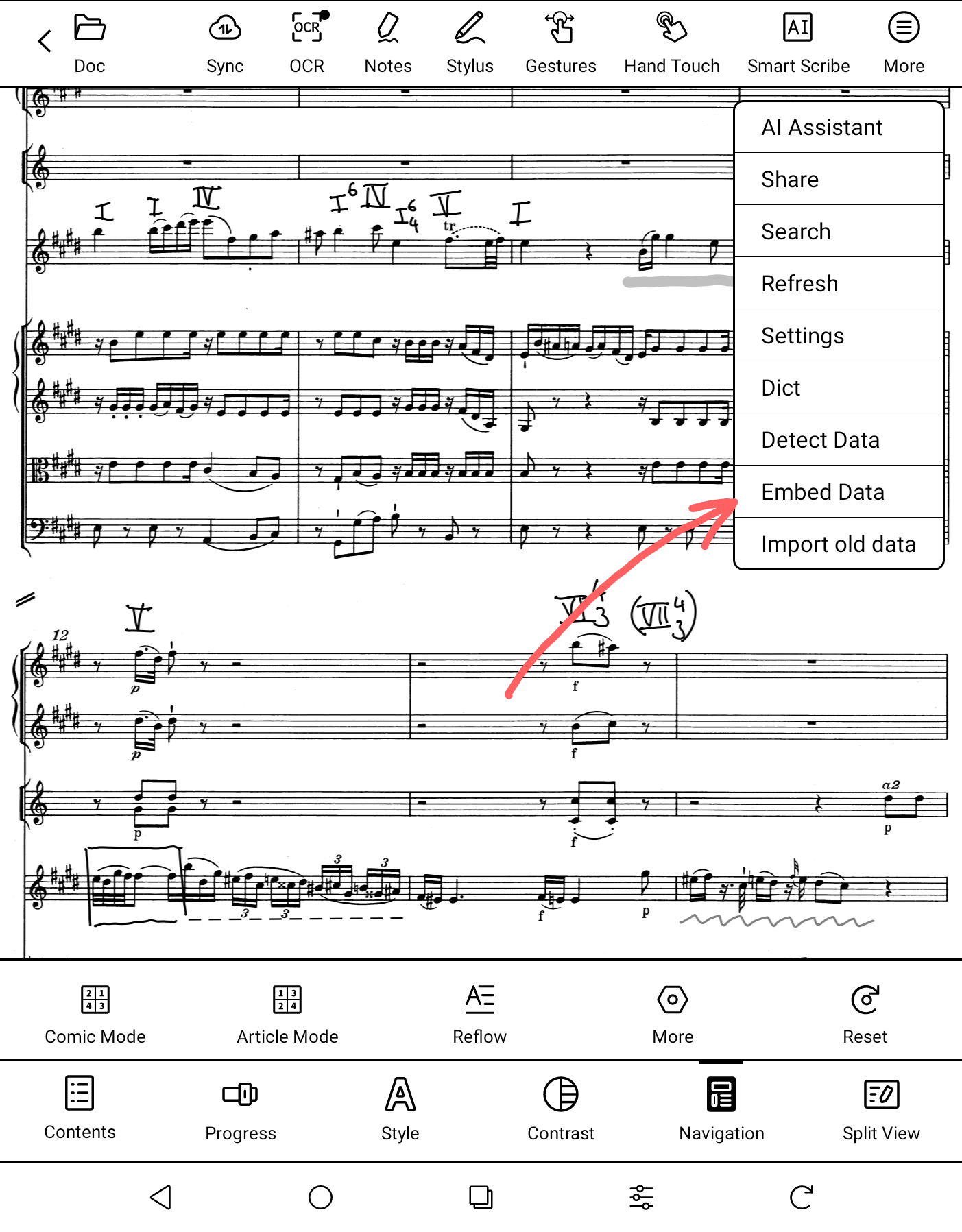
- Export the PDF either by clicking on More > Share or via Boox drop.
This worked for version 38136-6a1ec45f42f (38136) of the NeoReader app.